Why Your Competitors Outrank You (Free Technical Audit Checklist)
Use a simple page source check to uncover why competitors outrank you. Step-by-step technical audit — no paid tools required.
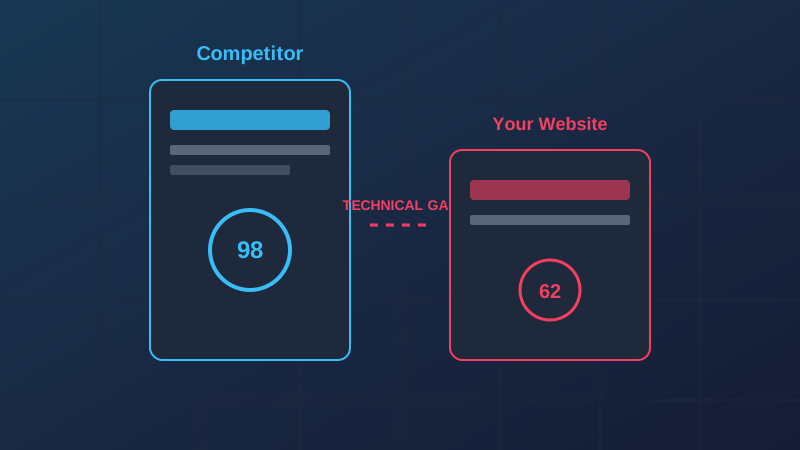
The Hidden Reason You're Stuck on Page Two
You've written the best content. You've built high-quality backlinks. You've optimized your titles and descriptions. Yet, every time you check the SERPs (Search Engine Results Pages), your competitor is still sitting comfortably in the #1 spot, despite having thinner content or fewer authority signals.
The reason? Technical Debt.
In 2026, Google's algorithms have become incredibly sophisticated at measuring user experience through technical signals. If your site has underlying structural issues, it doesn't matter how good your content is; you're essentially trying to race a Ferrari with a flat tire. This guide will walk you through a professional-grade technical audit to identify and close the gap between you and your top-ranking competitors.
1. Core Web Vitals: The Speed Premium
Google's Core Web Vitals (CWV) are no longer a "tie-breaker"—they are a primary ranking factor. When we analyze top-ranking sites using ViewPageSource, we consistently see that the #1 result passes all three metrics (LCP, FID/INP, and CLS) with flying colors.
Largest Contentful Paint (LCP)
LCP measures how long it takes for the largest element on the screen to load. If your competitor is using a modern framework like Next.js with optimized image loading, their LCP might be under 1.2 seconds. If yours is over 2.5 seconds, Google perceives your site as "unhealthy."
How to close the gap:
- Use <img loading="eager"> for hero images and loading="lazy" for everything else.
- Implement a CDN to serve assets closer to the user.
- Audit your third-party scripts; they are often the hidden culprit for slow LCP.
2. The DOM Size and Complexity Problem
A common technical gap we see is "DOM Bloat." Modern page builders (like older versions of Elementor or Divi) tend to generate thousands of nested <div> elements. A massive DOM tree increases memory usage on user devices and slows down the browser's rendering engine.
Search engines prefer clean, semantic HTML. When you use the ViewPageSource analyzer, look at your competitive breakdown. If your competitor has 800 DOM nodes and you have 3,500, you have a structural disadvantage.
How to close the gap: - Refactor your layouts to use CSS Grid and Flexbox instead of deeply nested containers. - Remove unnecessary wrapper elements. - Consider switching to a lightweight frontend framework if your current theme is too heavy.
3. Structured Data: The Context Gap
Structured Data (Schema.org) tells search engines exactly what your content is. While you might have a "Review" schema, your competitor might be using a sophisticated combination of: - Organization Schema (for trust) - Breadcrumb Schema (for navigation) - FAQ Schema (for SERP real estate) - Product and Local Business Schema (for rich results)
If they have rich snippets and you don't, their click-through rate (CTR) will be significantly higher, which Google interprets as a signal of high quality, further boosting their rank.
4. Security Headers and Modern Protocols
This is the most overlooked part of technical SEO. Search engines favor "secure and modern" websites. We've seen sites jump in rankings just by implementing: - HSTS (HTTP Strict Transport Security) - Content Security Policy (CSP) - HTTP/3 Support
If your competitor's server is running on HTTP/3 and yours is still on HTTP/1.1 or even early HTTP/2, you are leaving performance (and rankings) on the table. You can check these advanced signals in the "Security" tab of our Website Analyzer.
5. Identifying the Gaps: Step-by-Step Audit
To truly understand why they are outranking you, you need to perform a side-by-side technical audit.
Step 1: Analyze Your Competitor
Enter your competitor's URL into ViewPageSource and note their: - Total page size - Number of JavaScript files - Security header score - Use of modern formats (WebP, AVIF)
Step 2: Analyze Your Own Site
Run the same audit for your URL. Compare the results. Look for the "red flags" where your scores are lower than theirs.
Step 3: Prioritize the "Big Wins"
Usually, the biggest impact comes from: 1. Reducing Initial Server Response Time (TTFB). 2. Optimizing the "Critical Rendering Path" (getting pixels on screen faster). 3. Fixing broken or missing Schema markup.
How to Analyze a Competitor's Source Code in 5 Minutes
You can reverse-engineer your competitor's SEO and technology advantages in minutes by inspecting their source code. Follow this step-by-step framework to identify their hidden advantages:
- Audit their meta configuration: Enter their URL into our page source viewer. Look at their
<title>, description, canonical tag, and robots instructions to see how they structure their keywords. - Inspect their heading structure: Scan their HTML for
<h1>,<h2>, and<h3>tags. Analyze how they structure their copy and outline their articles. - Detect hidden SEO tools and libraries: Scroll down to see their linked scripts and stylesheets. Are they using tracking pixels, Tag Managers, or specific schema frameworks?
- Evaluate script rendering: Check if they suffer from JavaScript SEO issues hidden in source code. If their key page elements are missing from the raw HTML and only visible in the browser DOM, they may have a rendering bottleneck that you can exploit.
Use this intelligence to patch your own website's gaps and build a stronger technical foundation.
Case Study: From Page 3 to #1
We recently worked with a client who was stuck behind a massive competitor despite having better content. Our audit revealed that the competitor's site was using a "Headless" architecture with static generation, while the client was on a bloated legacy CMS with a 3-second TTFB.
By migrating the client to a performance-focused stack and cleaning up their DOM structure, their LCP dropped from 4.2s to 0.8s. Within three months, they overtook their competitor for all primary keywords.
Conclusion: Technical SEO is the Foundation
Content might be King, but Technical SEO is the Castle. If your castle is crumbling, the King has no authority. Don't let a technical gap be the reason you lose to a rival with inferior content.
Regular technical audits are the key to long-term organic growth. Start your audit today using our Free Site Analyzer and find out exactly what's holding you back.
Ready to optimize your site?
Use our professional tools to analyze your source code and technical SEO health in seconds.
Start for Free →