The Impact of Open Graph Tags on Social Media Traffic
Learn how Open Graph tags like og:image and og:title affect your click-through rates on Facebook, LinkedIn, and X.
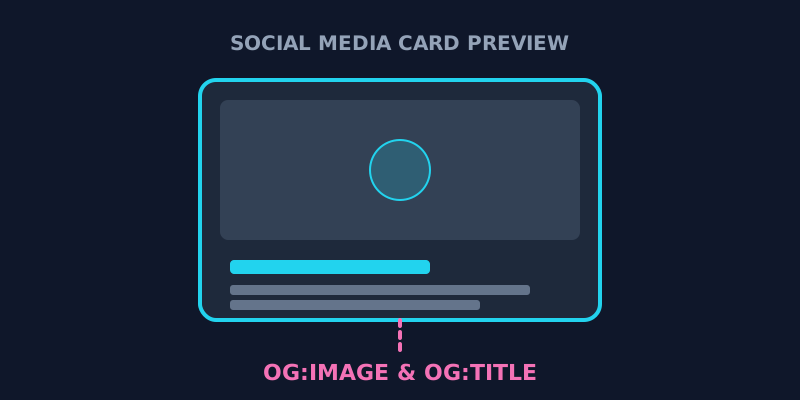
Why Open Graph Tags Matter in 2026
Have you ever shared a link on Facebook, LinkedIn, or X (formerly Twitter) and noticed that the image is missing or the title is just a mess? That's what happens when your Open Graph (OG) tags are missing or improperly configured.
Open Graph tags are snippets of code that tell social media platforms how to display your content when it’s shared. In an increasingly visual digital landscape, these tags are the difference between a high-performing post and one that gets ignored.
1. The Core Open Graph Tags You Need
To ensure your content looks professional and magnetic, you must include these four core tags in the <head> of your HTML:
og:title: The title of your article as it will appear on social media. It should be catchy and clearly explain the value of clicking the link.og:description: 1-2 sentences that provide more context. Think of this as your secondary hook.og:image: The most important tag. This points to a high-quality (1200x630px) image that will be shown as the post's thumbnail.og:url: The canonical URL for the page, ensuring all "likes" and "shares" are attributed to a single source.
Example Open Graph Tag Configuration
Here is what these tags look like in the raw HTML source of a webpage:
<meta property="og:title" content="Your Catchy Title Here" />
<meta property="og:description" content="A brief description of your page content." />
<meta property="og:image" content="https://example.com/social-preview.jpg" />
<meta property="og:url" content="https://example.com/page-url" />
You can inspect if your page has these tags by using our tool to view page source online.
2. Optimizing Click-Through Rates (CTR)
Your og:image and og:title are your digital billboards. Here’s how to optimize them for maximum engagement:
The 'og:image' Strategy
- Contrast: Use vibrant colors that "pop" against the white or dark backgrounds of social platforms.
- Text Overlays: Including a short, bold headline on the image can significantly increase clicks, especially on platforms like LinkedIn.
- Branding: Include a small logo or consistent brand colors so users recognize your content over time.
The 'og:title' Hook
Social media audiences are different from search engine users. While your <title> for Google should be keyword-focused, your og:title can be more provocative or benefit-driven to encourage social engagement.
3. How to Audit Your Open Graph Tags
- View Your Source Code: Use our Source Code Viewer and search for
og:. If you don't see any results, your tags are missing. - Use Tool-Specific Debuggers:
- Use Our Website Analyzer: For a complete, instant audit of your social meta tags, try our Website Analyzer. We'll show you exactly what your tags look like before you even share them.
4. How to Check Open Graph Tags Using View Page Source
Auditing your website's Open Graph tags shouldn't require complex tools or premium browser extensions. You can quickly inspect them using a simple view-source command or our online utility. When you inspect the raw HTML of your webpage, look specifically within the <head> section for <meta property="og:... tags.
Here is a step-by-step checklist of what to look for when verifying your Open Graph implementation:
- Check the Presence of Meta Tags: Ensure that og:title, og:description, og:image, and og:url are all explicitly defined in the HTML markup.
- Verify the Image URL: Copy the absolute URL specified in the og:image content attribute and paste it into a new browser tab. Make sure the image loads correctly and matches the recommended 1200x630 pixels size for high-definition previews.
- Audit Description Length: Verify that your og:description is concise—ideally between 120 and 150 characters—so that it does not get truncated on mobile social feeds.
- Confirm Canonical URL: Ensure the og:url matches your canonical link to consolidate all social shares and SEO link equity to the correct page.
By performing this quick check, you prevent broken previews and ensure your brand looks highly professional on social feeds.
Check your own page's OG tags → View Page Source
Frequently Asked Questions
How do I test my Open Graph tags without posting to social?
You can use free developer tools provided by the platforms themselves, such as the Facebook Sharing Debugger, the LinkedIn Post Inspector, or the Twitter (X) Card Validator. These tools fetch your page's source code and generate a mockup of how your post will look when shared. Alternatively, you can use our free tool to inspect the raw header tags directly in your browser.
Conclusion: Don't Leave Your Social Traffic to Chance
Open Graph tags are an essential part of any modern marketing strategy. They give you control over how your brand is perceived on social media and directly influence how many people click through to your site.
Ready to see how your site looks on social? Inspect your meta tags here to optimize your social media traffic today.
Ready to optimize your site?
Use our professional tools to analyze your source code and technical SEO health in seconds.
Start for Free →